Delivery
Up to 10,000 learners
Broadcast delivery: the class is packaged once and fanned out by a content network, so the audience is not limited by a room server.
Live Classes
For coaching institutes, schools and universities, corporate training, and creators who sell courses. Teach from the browser or the Mac app; Supermeet packages the class once and a content network delivers it to up to 10,000 learners with a 2–4 second target delay. Slides and whiteboard travel as data, and by default every learner's copy carries a forensic mark that traces a leak back to them.
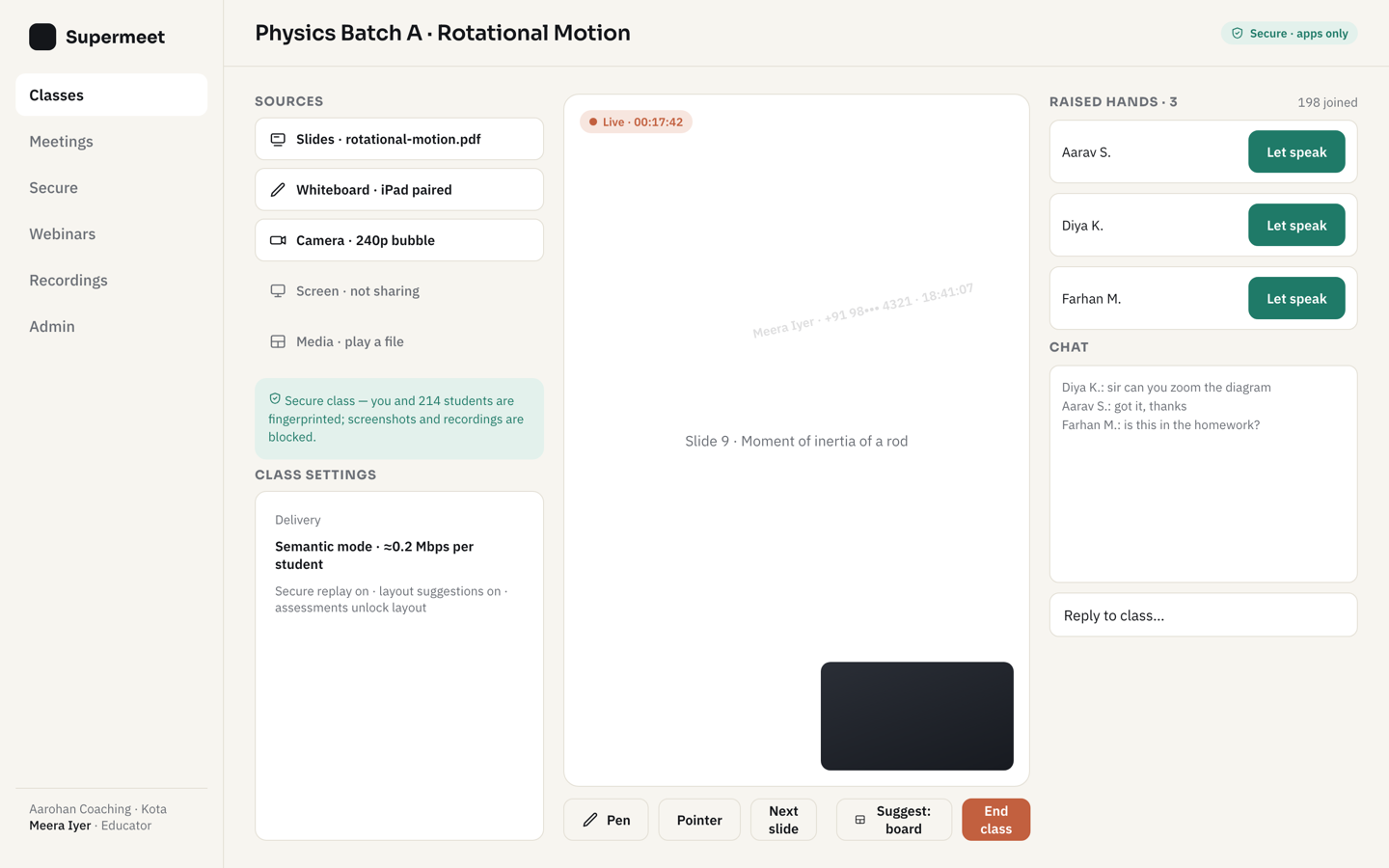
The presenter view of a live class: slides and whiteboard, the learner list, raised hands waiting to be invited on stage.
Broadcast delivery: the class is packaged once and fanned out by a content network, so the audience is not limited by a room server.
Ink and slides travel as data, not video, so the whiteboard stays sharp on a phone and costs little bandwidth. Learners swap the teacher's video and the content.
Learners are receive-only by default. The instructor invites a raised hand onto the stage as a live speaker for as long as needed, then back to the audience.
A Secure class plays only in the Supermeet app: the join is attested, the key is per session, and every frame carries the learner's mark. A Standard class plays in the browser too, with the learner's name drifting over the picture and a forensic mark in the stream. How it works →
The apps offer a data saver and audio only, with the slides and whiteboard still drawn as data.
Recordings replay from the console or, for Secure classes, inside the app with the same per-viewer mark; retention follows your policy.
How a class runs
Create the class and name its teachers; learners register from its page. When learners are under 18, the organization records guardian consent using guardian identities it already holds.
Teach from the browser — camera, microphone, screen, whiteboard and slides — or from the Mac app. Phones and tablets teach through Supermeet's servers.
Standard classes join from any browser. Secure classes open the app, which attests itself and receives the session key. Attendance is recorded for every class.
A stable upload that carries a 720p camera is enough; Supermeet's servers compose and package the class, so the instructor sends it only once.
A browser for Standard classes. Secure classes need the Supermeet app on Android 8 or later, iPhone or iPad with iOS 16 or later, or a Mac with Apple silicon on macOS 27 or later — they do not play in a browser by design.
Your organization opens a leak case with the clip. The extraction service decodes the mark, a person reviews the result, and only then is the account named; the learner can appeal through Supermeet. Leak cases →
₹45 per active student per month. Pricing →